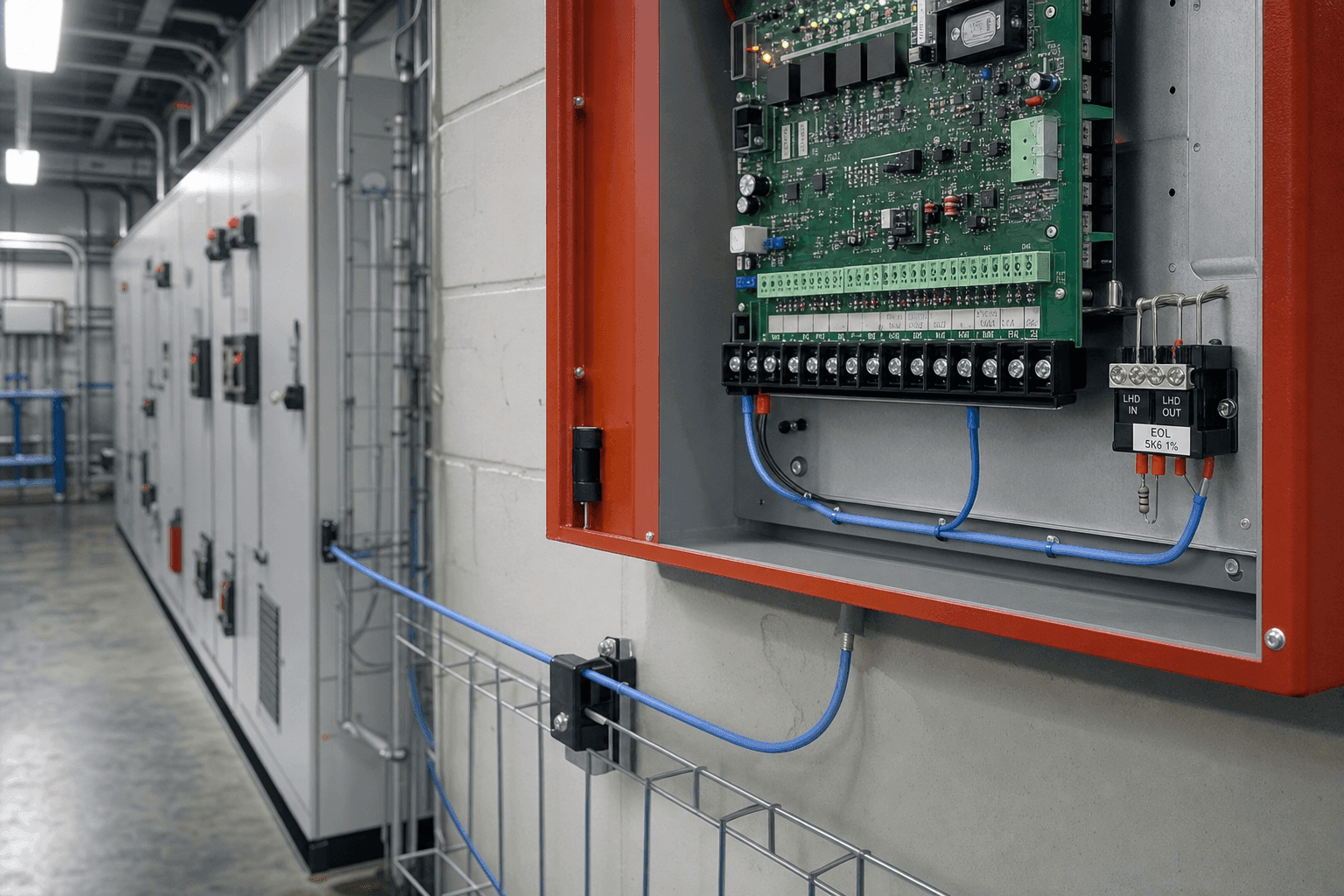
You name the fire-alarm panel already installed on the project, ask a prospective supplier whether their thermal sensor cable will work with it, and the answer comes back fast and reassuring: “yes — compatible with any panel.” It is the wrong answer to the wrong question. A cable does not connect to a category called “panels”; it has to match one specific zone card or input module on several independent points at once, and a confident “compatible with anything” usually means none of those points has been checked against the model you actually have.
This note is about asking the right question instead: what has to line up between a thermal sensor cable and a particular panel, and how to confirm it before the order rather than at power-on. It assumes you already know where the cable sits on a panel drawing and how the four supervisory states work, and that the end-of-line resistor and loop-resistance arithmetic is a separate calculation in its own right. Compatibility is the procurement-stage decision that comes before either — the match you confirm on paper so the wiring and the commissioning have a chance of going cleanly, and so a fault on day one is not, in fact, a mismatch nobody checked.
“Compatible” Is Not Yes or No
Treating compatibility as a single yes-or-no is what makes it unreliable. A cable and a panel meet on several axes that are independent of one another — the signal the cable produces, the resistance window the panel supervises, the voltage the zone card supplies, and the interface the panel expects. A cable can match three of those and miss the fourth, and the zone still faults. “Compatible” only means anything once it has been broken into the specific things that have to agree, each checked against the panel's own documentation rather than a supplier's blanket assurance.
The Four Things That Have to Match
Before an order is placed, four matches decide whether the cable will read cleanly on the panel. None of them is exotic; the failures come from leaving one unchecked.
What the panel input is built to read. A conventional zone card — and the monitor module an addressable panel uses to bring the cable onto its loop — waits for a sharp closing short at activation; an analog or resistance-based input instead reads a resistance that changes with temperature. The cable's sensing architecture has to produce the shape of signal the input expects — this is the match that goes wrong most often, and it gets its own section below.
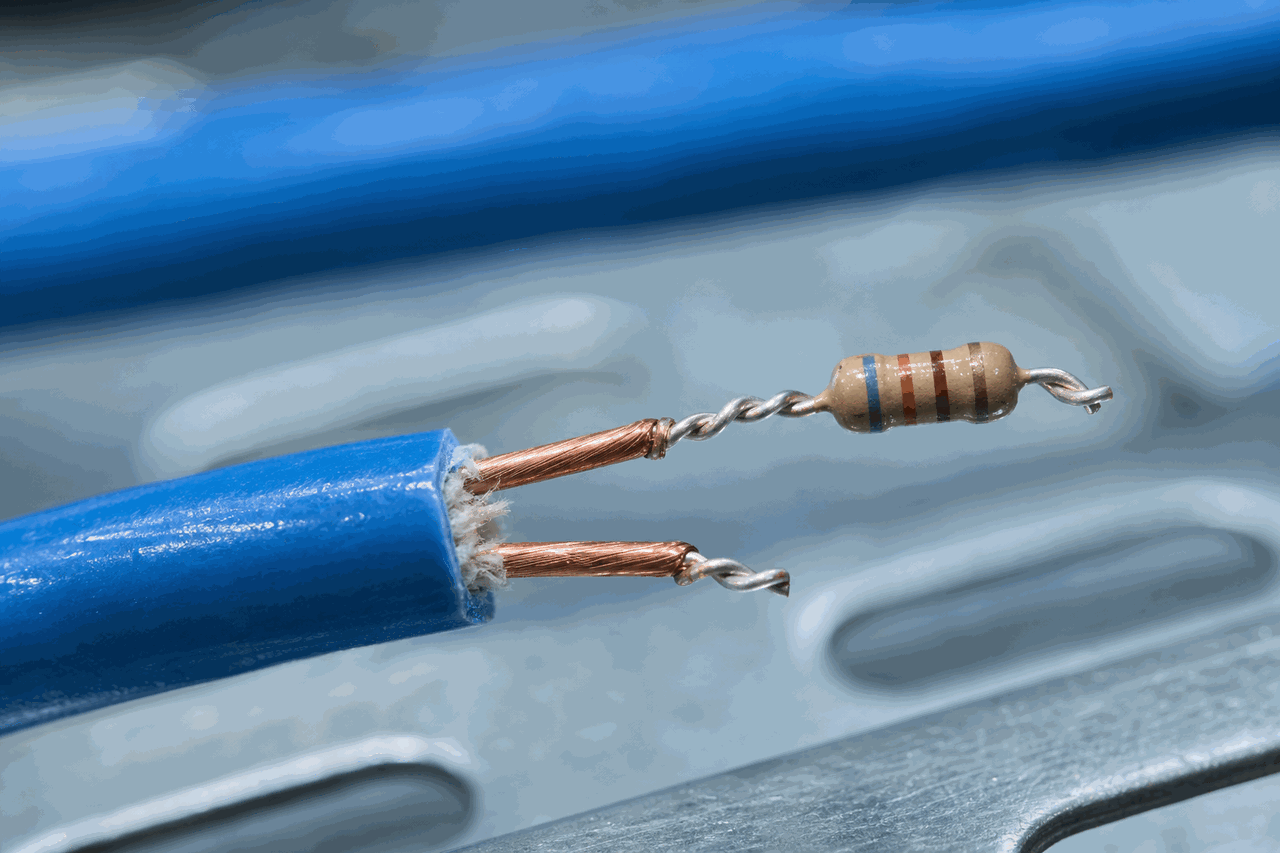
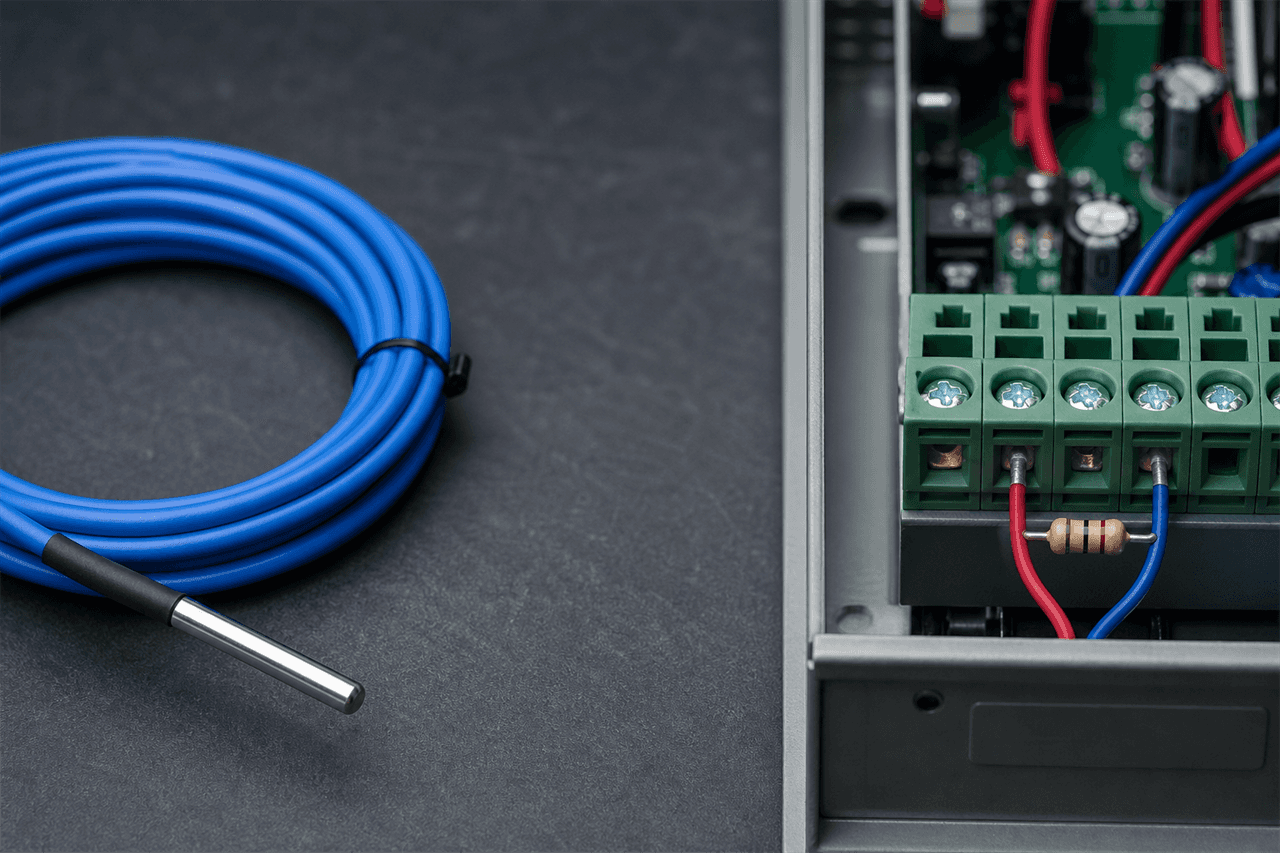
The panel calls for a specific end-of-line resistor value, and the cold loop resistance — that resistor plus the resistance the cable adds over the run plus the terminations — has to land inside the band the panel reads as normal. The value is the panel's number; whether the loop still fits the window is the loop-resistance calculation you run for the planned length.
The zone card pushes a small supervisory current — commonly around 24 VDC — through the loop and watches it. The panel has to supply enough for the loop it is asked to monitor; a card with a lower supervisory voltage or a tighter current budget will not read a long or higher-resistance loop the way its window assumes.
A conventional panel takes the loop directly on a zone card. An addressable panel usually interfaces the same cable through a dry-contact monitor module that reports the zone onto a loop address — and that module has its own supervised input and its own end-of-line device. If the module is needed and it is not in the bill of materials, the cable has nothing to talk to.
Signal Type Is Where Most Mismatches Hide
Of the four, signal type is the one that is easiest to assume and most expensive to get wrong, because it is set by something a spec sheet often leaves implicit: the cable's internal architecture. The panel input and the cable output have to speak the same electrical language.
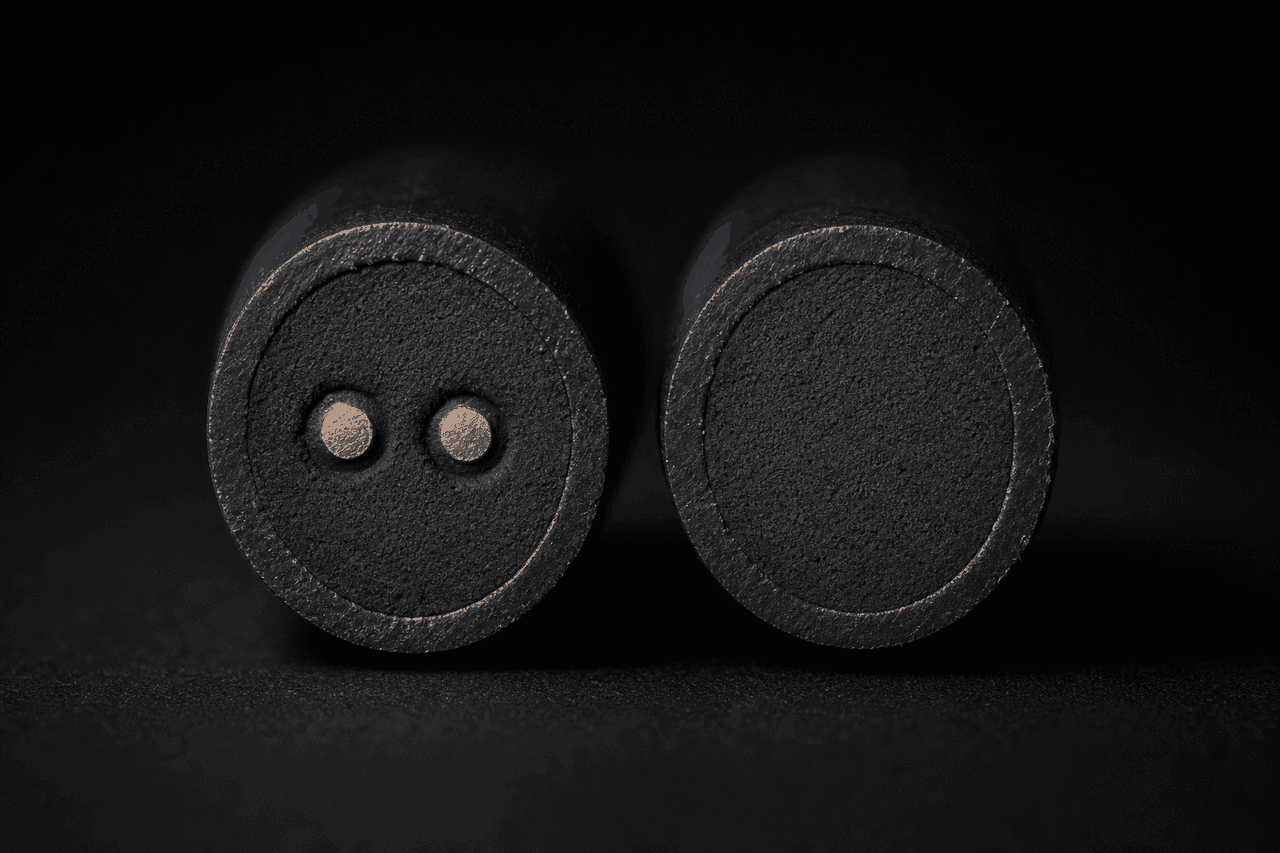
A metal-core cable carries a conductor pair that closes at the hot point, collapsing the loop resistance in a sharp step — exactly the clean closing edge a dry-contact LHD zone card — or the monitor module an addressable panel reads it through — is built to register as an alarm. A non-metal-core cable behaves more like a temperature-dependent resistor, its resistance falling on a smoother slope; it suits an analog or resistance-based input that reads a resistance curve, but it does not give a dry-contact input the abrupt close it is waiting for. Put the slope-type cable on the edge-reading input and the panel may sit in fault or fail to alarm; put the edge-type cable on an input expecting a resistance curve and the reading does not mean what the panel thinks it means. The full picture of how the cross-section sets this behaviour is in the metal-core versus non-metal-core architecture note, and the broader topology choices behind it in the linear heat detection architectures comparison.
The practical consequence is that the architecture decision and the panel decision are not independent. Choosing a cross-section narrows the set of panels the cable will read cleanly on, so “which architecture” and “which panel input” are best answered together rather than one after the other and reconciled on site.
Compatibility Is Decided on Paper, Before the Order
The cheapest place to settle all four matches is the RFQ, not the loading dock. Name the exact panel model and the loop type up front, and the supplier can confirm the signal type, the end-of-line value, the supervisory voltage and any required module against that specific panel — and run the loop-resistance check for the planned run length while there is still time to change the cable rather than the building.
Panel: state make and model [____] and loop type (conventional / addressable / analog).
Signal: confirm the cable's activation signal (dry-contact short / resistance slope)
matches the panel input for that model.
Loop: confirm the end-of-line value the panel requires and that the cold loop resistance
for a [____] m run lands inside the panel's supervision window.
Interface: state whether a monitor/interface module is required, and include it in scope.
Acceptance: a panel-compatibility statement against the named model is a condition of order.
This is also where a supplier worth ordering from earns the order. A responsible one expects to be asked and makes it easy: it can provide a panel-compatibility statement against the panel model you name, confirm the signal type and end-of-line window for your run, and — where a panel needs a specific module or a resistance-based interface it does not supply — say so plainly and point you to the panel maker or integrator for the part of the assessment that is theirs, rather than waving the order through with “compatible with anything.”
A Pre-Order Panel Compatibility Checklist
Pulled together, the questions to settle against the panel's own datasheet before the cable is ordered are short. Each one maps to one of the four matches.
| Confirm against the panel | Why it has to match |
|---|---|
| Loop type — conventional, addressable or analog | Decides whether the cable connects on a zone card directly or through a monitor module, and which signal shape the input reads. |
| Activation signal — dry-contact short or resistance slope | Has to match the cable's architecture; a slope-type cable on an edge-reading card, or the reverse, faults or fails to alarm. |
| End-of-line value and supervision window | The panel's value, plus the cable's loop resistance over the run, must land inside the band the panel reads as normal. |
| Supervisory voltage / current | The zone card has to drive the loop it is asked to monitor; a low-voltage or tight-current card will not read a long loop as designed. |
| Interface / monitor module | If an addressable panel needs one, it must be specified and in the bill of materials — the cable cannot report a zone without it. |
| Run length and zoning | Length drives both the loop-resistance check and how many supervised zones the run has to be split into to stay in window. |
When Panel and Cable Must Be Specified Together
Not every project needs the cable and panel chosen as a pair. A conventional dry-contact zone with a fusible LHD cable is forgiving: the cable produces a clean short, and most conventional cards accept it as long as the end-of-line value and supervisory voltage match. The moment the panel is analog or does resistance-based location sensing, that changes — the input topology decides which cable signal will read correctly, and cable and panel have to be specified as one decision. An addressable panel sits in between: the cable usually reads fine through its dry-contact monitor module, but because that module has to be named and in the bill of materials, the panel still belongs on the same specification line.
The way to tell which situation you are in is simply to name the panel early. A conventional two-wire zone with a standard end-of-line resistor is the common, low-risk case; a panel that asks for a specific module, a particular resistance profile, or analog location sensing is the case where the cable choice is constrained by the panel and the two belong on the same specification line. Either way, a fault that shows up at power-on on a healthy cable almost always traces back to one of the four matches that was assumed instead of confirmed — and separating that kind of commissioning mismatch from a genuine cable problem on a live loop is the job of the field-diagnosis sequence, not the order you should have been able to get right on paper.
“Compatible with any panel” is a sales answer, not an engineering one. A cable matches a specific panel on four points — the signal it produces, the end-of-line window it has to land in, the supervisory voltage the card supplies, and the interface the panel expects — and the work is to name the panel, confirm those four on paper, and make the statement a condition of the order. Do that and the zone reads clean the first time it is powered on; skip it and the first fault is a mismatch wearing the disguise of a cable fault.
FAQ — Thermal Sensor Cable Panel Compatibility
How do I check a thermal sensor cable is compatible with my fire-alarm panel before I order?
Treat compatibility as four separate matches rather than a single yes-or-no. Confirm the signal type first: a conventional zone card — and the monitor module an addressable panel uses to interface the cable — expects a sharp closing short at activation, while an analog or resistance-based input instead reads a resistance that changes with temperature, and the cable's sensing architecture has to produce the kind of signal the input expects. Then confirm the end-of-line resistor value the panel calls for and that the cold loop resistance lands inside the panel's supervision window, the supervisory voltage the zone card supplies, and whether an addressable panel needs a specific monitor or interface module. The reliable way to do this is on paper before the order: name the exact panel model on the RFQ, ask the supplier for a panel-compatibility statement against it, and make agreement on those four points a condition of acceptance rather than something discovered at power-on.
What makes a thermal sensor cable incompatible with a fire-alarm panel?
Any one of four mismatches is enough to fault the zone with a perfectly good cable on it. A signal-type mismatch is the most common — a non-metal-core cable that falls in resistance on a smooth slope wired onto a dry-contact card that is waiting for a sharp closing short, or the reverse. A wrong end-of-line resistor value, or a run long enough that the cable's own loop resistance pushes the cold total outside the panel's supervision window, reads as an open or out-of-window fault at power-on. A zone card that does not supply enough supervisory voltage for the loop is a third. And an addressable panel that needs a dedicated monitor module, left out of the bill of materials, is a fourth. None of these is a defect in the cable; each is a match the specification missed.
Does the cable's architecture decide which panels it works with?
To a large degree, yes, because the architecture sets the shape of the signal the panel reads. A metal-core cable closes its conductor pair at the hot point and gives the sharp resistance step a dry-contact LHD zone card is built to read as an alarm. A non-metal-core cable behaves more like a temperature-dependent resistor, falling on a smoother slope, which suits an analog or resistance-based input that reads a resistance curve but does not produce the clean closing edge a dry-contact input — a conventional zone card or an addressable panel's monitor module — is built to register. So the architecture decision and the panel decision are not independent: choosing the cross-section effectively narrows the panels it will read cleanly on, which is why the architecture and the panel interface are best confirmed together rather than one after the other.
Do the panel and the cable need to be specified together?
For a conventional dry-contact zone with a fusible LHD cable, often not — the cable produces a clean short and most conventional cards accept it, provided the end-of-line value and supervisory voltage match. For an analog or resistance-based location-sensing panel, yes — the cable and the panel input have to be chosen as a pair, because the input topology decides which cable signal reads correctly. An addressable panel is mostly a procurement pairing: a fusible cable usually reads fine through its dry-contact monitor module, as long as that module is named and in the bill of materials. The practical rule is to name the panel model on the RFQ from the start, so the supplier can confirm the signal type, the end-of-line window and the interface against that specific panel, and so the loop-resistance arithmetic for the planned run length can be checked before anything is ordered.